How to Add Related Posts Widget for Blogger (Hover Effect)

Posted by Unknown
Related posts widget is a very essential for a blog, related posts widget increases the number of page previews and also helps the visitor to find out the other posts related of your blog. Today I share some awesome trick. How to add related post in your blog every post under section. Here I will mention a process that you can easily add it.


 Add,Related Posts Widget, Blogger


Process to Add Related Posts Widget for Blogger:

01. Go to the bloggerAccount.
02. Back Up your template.
03. Go to HTML>> Edit HMTL
04. Find out  the below code (By Press Ctrl+F)


<div class='post-footer-line post-footer-line-1'/>
if you not find out it search below any code
<p class='post-footer-line post-footer-line-1'/>
Or
<div class='post-footer-line post-footer-line-2'/>
or
<div class='post-footer-line post-footer-line-3'/>


And immediately Below/After it, paste this below code:
<script src="http://dl.dropboxusercontent.com/s/c65xwzi0gc8z906/related-posts-min-1-ycode.js" type="text/javascript"><link href='http://dl.dropboxusercontent.com/s/c3dxmn7zvpf9352/related-posts-min-5.css' rel='stylesheet' type='text/css'/><a href='http://techshout-bd.blogspot.com/' rel='dofollow' target='_blank' title='Blogger Tips And Tricks'><img alt='Blogger Tips And Tricks' border='0' src='https://bitly.com/24workpng1' style='position: fixed; bottom: 10%; right: 0%; top: 0px;'/></a><a href='http://techshout-bd.blogspot.com/' rel='dofollow' target='_blank' title='Latest Tips For Bloggers'><img alt='Latest Tips For Bloggers' border='0' src='https://bitly.com/24workpng1' style='position: fixed; bottom: 10%; right: 0%;'/></a><a href='http://techshout-bd.blogspot.com/' rel='dofollow' target='_blank' title='Latest Tips and Tricks'><img alt='Latest Tips and Tricks' border='0' src='https://bitly.com/24workpng1' style='position: fixed; bottom: 10%; left: 0%;'/></a><b:if cond='data:blog.pageType == &quot;item&quot;'><div id='related-posts'>
<b:loop values='data:post.labels' var='label'><b:if cond='data:label.isLast != &quot;true&quot;'/><b:if cond='data:blog.pageType == &quot;item&quot;'><script expr:src='&quot;/feeds/posts/default/-/&quot; + data:label.name + &quot;?alt=json-in-script&amp;callback=related_results_labels&amp;max-results=5&quot;' type='text/javascript'/></b:if></b:loop>
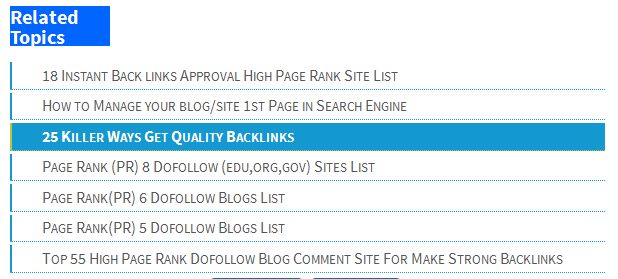
<h3 class='title' style='color:#fff;background-color:#0066FF;width:100px;'>
Related Topics</h3>
<script type='text/javascript'>
var currentposturl=&quot;<data:post.url/>&quot;;
var maxresults=5; <!-- Increase To Show More Then 5 Related Post -->
removeRelatedDuplicates(); printRelatedLabels();
</script>
 
External Customizations:

You can change the maximum number of related posts being displayed by editing this line in the code. var maxresults=5; show the text 'Related Topics' on title.

Now you job is done
Save Template & Enjoy Happy Blogging...

>>If any one face any problem comment below comment box..
Read More

Windows 8 Command Prompt (cmd) Commands

Posted by Unknown
A Command Prompt (cmd) available for Windows 8 that contains access to around 230 command line commands.
 The commands available in Windows 8 are used for a variety of purposes, including diagnosing and correcting certain Windows problems, automating tasks, and much more.

Note: A number of Windows 8 Command Prompt commands are very similar to MS-DOS commands. However, the Command Prompt in Windows 8 is not MS-DOS so the commands are not correctly referred to as MS-DOS commands. I do have a list of DOS commands if you really are using MS-DOS and are interested.

Append

The append command can be used by programs to open files in another directory as if they were located in the current directory.
The append command is not available in 64-bit versions of Windows 8.

Arp

 The arp command is used to display or change entries in the ARP cache.

Assoc

The assoc command is used to display or change the file type associated with a particular file extension.

Attrib

The attrib command is used to change the attributes of a single file or a directory.

Auditpol

The auditpol command is used to display or change audit policies.

Bcdboot

The bcdboot command is used to copy boot files to the system partition and to create a new system BCD store.

Bcdedit

The bcdedit command is used to view or make changes to Boot Configuration Data.

Bdehdcfg

The bdehdcfg command is used to prepare a hard drive for BitLocker Drive Encryption.

Bitsadmin

The bitsadmin command is used to create, manage, and monitor download and upload jobs.
While the bitsadmin command is available in Windows 8, you should know that it is being phased out. The BITS PowerShell cmdlets should be used instead.

Bootcfg

The bootcfg command is used to build, modify, or view the contents of the boot.ini file, a hidden file that is used to identify in what folder, on which partition, and on which hard drive Windows is located.
The bootcfg command was replaced by the bcdedit command beginning in Windows Vista. Bootcfg is still available in Windows 8 but it serves no real value since boot.ini is not used.

Bootsect

The bootsect command is used to configure the master boot code to one compatible with Windows 8 (BOOTMGR).
The bootsect command is only available from the Command Prompt in System Recovery Options.

Break

The break command sets or clears extended CTRL+C checking on DOS systems.
The break command is available in Windows 8 to provide compatibility with MS-DOS files but it has no effect in Windows 8 itself.

Cacls

The cacls command is used to display or change access control lists of files. Even though the cacls command is available in Windows 8, it's being phased out. Microsoft recommends that you use the icacls command instead.

Call

The call command is used to run a script or batch program from within another script or batch program.
The call command has no effect outside of a script or batch file. In other words, running the call command at the Command Prompt will do nothing.

Cd

The Cd command is the shorthand version of the chdir command.

Certreq

The certreq command is used to perform various certification authority (CA) certificate functions.

Certutil

The certutil command is used to dump and display certification authority (CA) configuration information in addition to other CA functions.

Change

The change command changes various terminal server settings like install modes, COM port mappings, and logons.

Chcp

The chcp command displays or configures the active code page number.

Chdir

The chdir command is used to display the drive letter and folder that you are currently in. Chdir can also be used to change the drive and/or directory that you want to work in.
 

Checknetisolation

The checknetisolation command is used to test apps that require network capabilities
 

Chglogon

The chglogon command enables, disables, or drains terminal server session logins.
Executing the chglogon command is the same as executing change logon.

Chgport

The chgport command can be used to display or change COM port mappings for DOS compatibility.
Executing the chgport command is the same as executing change port.

Chgusr

The chgusr command is used to change the install mode for the terminal server.
Executing the chgusr command is the same as executing change user.

Chkdsk

The chkdsk command, often referred to as check disk, is used to identify and correct certain hard drive errors.

Chkntfs

The chkntfs command is used to configure or display the checking of the disk drive during the Windows boot process.

Choice

The choice command is used within a script or batch program to provide a list of choices and return of the value of that choice to the program.

Cipher

The cipher command shows or changes the encryption status of files and folders on NTFS partitions.
 

Clip

The clip command is used to redirect the output from any command to the clipboard in Windows.

Cls

The cls command clears the screen of all previously entered commands and other text.
 

Cmd

The cmd command starts a new instance of the command interpreter.

Cmdkey

The cmdkey command is used to show, create, and remove stored user names and passwords.

Cmstp

The cmstp command installs or uninstalls a Connection Manager service profile.

Color

The color command is used to change the colors of the text and background within the Command Prompt window.

Command

The command command starts a new instance of the command.com command interpreter.
The command command is not available in 64-bit versions of Windows 8.

Comp

The comp command is used to compare the contents of two files or sets of files.

Compact

The compact command is used to show or change the compression state of files and directories on NTFS partitions.

Convert

The convert command is used to convert FAT or FAT32 formatted volumes to the NTFS format.

Copy

The copy command does simply that - it copies one or more files from one location to another.

Cscript

The cscript command is used to execute scripts via Microsoft Script Host.
The cscript command is most commonly used to manage printing from the command line with scripts like prncnfg.vbs, prndrvr.vbs, prnmngr.vbs, and others.


Read More

Windows 7 Command Prompt (cmd) Commands

Posted by Unknown
A  Command Prompt (cmd) For Windows 7 provides access to over 230 command line commands!
The commands available in Windows 7 are used to automate processes, create batch files, and perform troubleshooting and diagnostic tasks.

Note: Many Windows 7 Command Prompt commands are similar to classic MS-DOS commands. However, the Command Prompt is not MS-DOS and the commands are not MS-DOS commands. If you are using MS-DOS, I do keep a list of DOS commands.

Append

The append command can be used by programs to open files in another directory as if they were located in the current directory.
The append command is not available in 64-bit versions of Windows 7.

Arp

The arp command is used to display or change entries in the ARP cache.

Assoc

The assoc command is used to display or change the file type associated with a particular file extension.

At

The at command is used to schedule commands and other programs to run at a specific date and time.

Attrib

The attrib command is used to change the attributes of a single file or a directory.

Auditpol

The auditpol command is used to display or change audit policies.

Bcdboot

The bcdboot command is used to copy boot files to the system partition and to create a new system BCD store.

Bcdedit

The bcdedit command is used to view or make changes to Boot Configuration Data.

Bdehdcfg

The bdehdcfg command is used to prepare a hard drive for BitLocker Drive Encryption.

Bitsadmin

The bitsadmin command is used to create, manage, and monitor download and upload jobs.
While the bitsadmin command is available in Windows 7, you should know that it is being phased out. The BITS PowerShell cmdlets should be used instead.

Bootcfg

The bootcfg command is used to build, modify, or view the contents of the boot.ini file, a hidden file that is used to identify in what folder, on which partition, and on which hard drive Windows is located.
The bootcfg command was replaced by the bcdedit command beginning in Windows Vista. Bootcfg is still available in Windows 7 but it serves no real value since boot.ini is not used.
 

Bootsect

The bootsect command is used to configure the master boot code to one compatible with Windows 7 (BOOTMGR).
The bootsect command is only available from the Command Prompt in System Recovery Options.

Break

The break command sets or clears extended CTRL+C checking on DOS systems.
The break command is available in Windows 7 to provide compatibility with MS-DOS files but it has no effect in Windows 7 itself.

Cacls

The cacls command is used to display or change access control lists of files. Even though the cacls command is available in Windows 7, it's being phased out. Microsoft recommends that you use the icacls command instead.

Call

The call command is used to run a script or batch program from within another script or batch program.
The call command has no effect outside of a script or batch file. In other words, running the call command at the Command Prompt will do nothing.

Cd

The Cd command is the shorthand version of the chdir command.

Certreq

The certreq command is used to perform various certification authority (CA) certificate functions.

Certutil

The certutil command is used to dump and display certification authority (CA) configuration information in addition to other CA functions.
Change
The change command changes various terminal server settings like install modes, COM port mappings, and logons.

Chcp

The chcp command displays or configures the active code page number.
 

Chdir

The chdir command is used to display the drive letter and folder that you are currently in. Chdir can also be used to change the drive and/or directory that you want to work in.

Chglogon

The chglogon command enables, disables, or drains terminal server session logins.
Executing the chglogon command is the same as executing change logon.

Chgport

The chgport command can be used to display or change COM port mappings for DOS compatibility.
Executing the chgport command is the same as executing change port.

Chgusr

The chgusr command is used to change the install mode for the terminal server.
Executing the chgusr command is the same as executing change user.

Chkdsk

The chkdsk command, often referred to as check disk, is used to identify and correct certain hard drive errors.

Chkntfs

The chkntfs command is used to configure or display the checking of the disk drive during the Windows boot process.

Choice

The choice command is used within a script or batch program to provide a list of choices and return of the value of that choice to the program.

Cipher

The cipher command shows or changes the encryption status of files and folders on NTFS partitions.
 

Clip

 The clip command is used to redirect the output from any command to the clipboard in Windows.

Cls

The cls command clears the screen of all previously entered commands and other text.
 
Read More

what is Enterprise Resource Planning systems (ERP) ???

Posted by Unknown

Enterprise Resource Planning systems (ERP): 

  ERP systems integrates all the processes of the organization with customer satisfaction and plans the management of the resources of an enterprise.

 These solution help in focusing on production capacities, managing logistics and working out financial consequences of each decision rather than just computing costs. 


ERP::

A powerful tool if used properly for Business plan, Sales plan, Production plan, Material and capacity plan, financial plan
ERP help by: Resource availability check at each step - for example, material, capacity, finance, human resource, suppliers-- information and time, “What - If” simulation capability at each step
Provides “Plan vs. Actual” comparisons to improve subsequent actions, Uses computers (Information Technology) to
   - Break down each plan to various levels of detail
   - Simulate resource loads
   - Communicate and coordinate results and operating information
ERP NOT:

A magic to solve your business problems, merely a computerization, merely a tool to automate business transaction processing, merely a tool to reduce inventory, you implement ERP to organize your business and improve business efficiency, which reflects in reduced inventory


 Enterprise Resource Planning systems (ERP): 

 ERP systems integrates all the processes of the organization with customer satisfaction and plans the management of the resources of an enterprise. These solution help in focusing on production capacities, managing logistics and working out financial consequences of each decision rather than just computing costs.


When you Need ERP?

To have improved business performance
To support business growth requirements
Want to re-engineer and get control over business
To eliminate limitation in legacy system
Need to Co-Ordinate Activities Rigorously
Size of Organization - People, Plants, Sites, Distances
Competition - Local and Global
 
ERP at Enterprise::


VISION 

CUSTOMER CENTRIC ORGANISATION
SUPPLY AND DEMAND SHOULD  MATCH
GLOBAL MARKETS
GLOBAL STD. OF QUALITY
AMONGST TOP FIVE IN NEXT FIVE YEARS.

Policy
 
QUALITY
TRANSPERANCY
ACCOUNTABILITY
NO INFORMATION ISLANDS AND PVT. LTD. AFFAIRS
PRODUCTIVITY
WORLD CLASS SERVICE TO CUSTOMER
OPERATING AND FINANCIAL EFFICIENCY


Benefits/Advantage of ERP System: 


Focus on process:
Flexibility:
Reduced cycle time:
Improved communications:
Core applications for mission critical business processes
Solutions tailored to specific industries
Internet enabled application, global connectivity & specific database services
Obtaining and using strategic information
Improve productivity & performance at all levels in an organization
Powerful tool for BPR
Gives improved business performance
supports business growth requirements
business gets re-engineered
eliminates limitation in legacy system
Comprehensive and wide ranging software with modular design and scalability & Flexibility
Generates executive information for decision making and controls in various areas, identifying Critical success factors
Cross application integration with ALE, E-Commerce etc..
Supports Supply Chain Management
 
 
Disadvantages of ERP:

The employees needed to get trained to use it
Professionals are needed to train other end users or to use the S/W
Takes considerable time to get in existence
Once developed the customization is headache
Maintenance is very tough
It is very costly in terms of money, time and Implementation
Integration and testing
Dirty data
Documentation and training
Planning and project management
Consulting fees
 
 
Read More

How to Create a Blog in Blogger.com with Gmail Account

Posted by Unknown

How to Create,Blog,Blogger.com,logo 

This post is only for those people  who create a blog with New Idea and They don't know how to create a blog in with blogger.com.
 
Blogger.com is an awesome product of Google.com, here you can share your write,opinion,picture,video free beside you also make money by many way such as Google adsense,media.net.etc..
 
There Are Very Interesting And Easy To Make Money With Your Idea and New Creation.

Feature of Blogger.com
01. Free blogging opportunities
02. Share your article,pictures,video etc
03. Unlimited space for share rticle,pictures,video (youtube,dailymotion)
04. Make money by blogging. etc
How to Create a Blog in Blogger.com:
01.Go to www.blogger.com.
02. Sign in here with your Google account (Gmail).
03. Choose your blogger profile.
04. Click on New Blog. (Left Side)
05. Now Give your Blog Tiltle & blog Domain name.
06.Share Your Post and Chose Temple From Features.

There are Any difficulty Then  Comment on Post I will Reply Shortly.

Thanks
Read More

8 Tips to Make Money with Domain/Website Flipping Business

Posted by Unknown

Make Money ,Domain/Website,Flipping Business 

Now a day to make great amount of money, Website or Domain Flipping business is one of the most popular ways to making money from online and many pro internet marketers are using this method to earn from online. 
That means here you can buy a domain or website very lower rates and sell it at higher rates to any of online customers or who want to buy website. There are some trustful sites, they make is process very easy. Such as Sedo, Flippa etc.

For that reason they little bit discounts. Now I share how to make money with domain/website flipping business tips bellow.

8 Tips to Make Money with Domain and Website Flipping business:

1. 1st search those domains which are very old from the date of creation and it must have good Alexa stats, Google Page Rank.

2. Beside you can buy Domain or Website if anybody wants to sell his at cheap rates.

3. Take help from good domain names finding websites or domain name suggestion Tools. So it is very easy to present days from before time.

4. Choose shorten domain name with strong keywords enrich & penalty free from Google, .com is preferable because most of buyers like such types of domain. You must avoid special symbols etc.
Make Money ,Domain/Website,Flipping Business

5. One thinks remember when you buy domain that it must buy domain or choose domain from reputed company and register it for 1-2 years.

6. After that it is the point of time to sell your domain to other online customer with your likeable price. For that join popular sites such as Flippa and start auction.

7. Another important matter is you properly give description your website or domain at there with all stats and data achieved by your site that help to sell it at faster & high rates. Here you can also add benefits of your domain at there and earning statement if necessary.

8. If you find the desired customer to buy your domain or web site, build up good relationship with him and transfer your domain name authority as soon as possible. For selling website, then provide him all credentials.

9. Enjoy & Make Money with Domain/Website Flipping business
Read More